Movable Type Vulnerability JVN#91153973: Update or Mitigate Now
Contents11
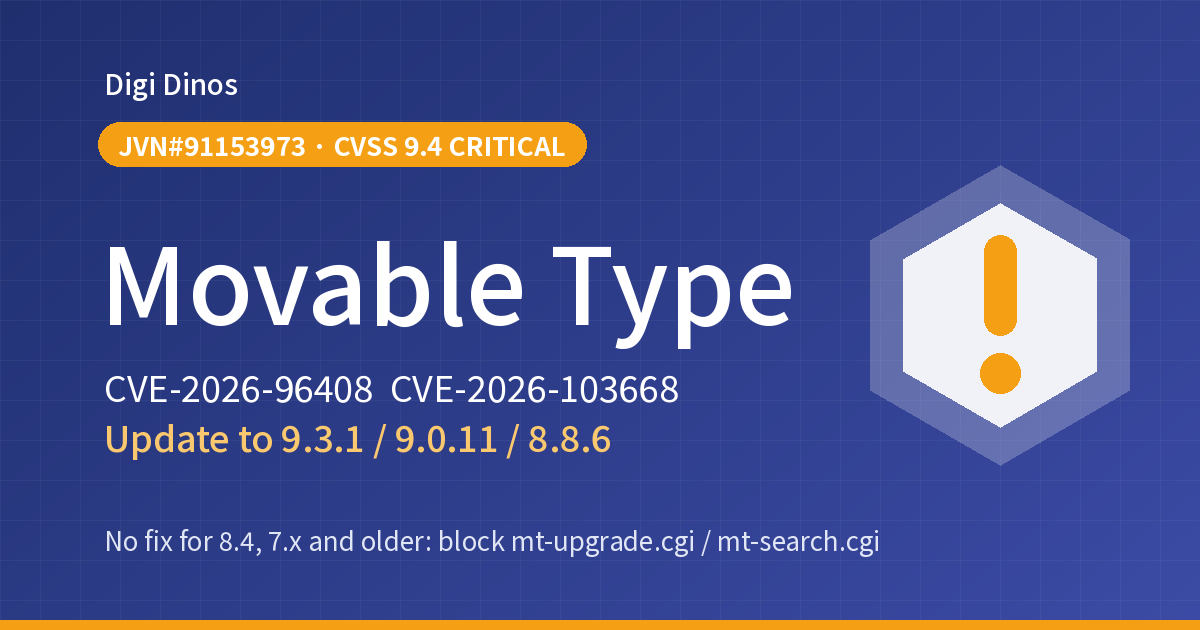
On 7 October 2026, Japan's IPA and JPCERT/CC announced vulnerabilities (JVN#91153973) in Movable Type, software for building websites. The most serious has a severity of 9.4 (Critical): someone who is not logged in may be able to run programs on your server.
On top of that, security support for Movable Type 8.0 ended on 5 November. This article is for companies that run their website on Movable Type: how to check your version, how to update, what to do if you can't update right away, and how to look for signs of an attack. Sites you have left entirely to a web agency are included.
Key takeaways
- The software edition up to 9.0.9, 8.8.5 and 8.0.12, among others, is affected. Update to the fixed versions 9.0.10, 8.8.6, 8.0.13 or later (for version 9, the latest are 9.3.1 and 9.0.11, released on 26 October).
- Versions 4 to 7 and 8.4, which are no longer supported, are also affected, and there is no fix for them. Put the workaround in place, then move to a newer version.
- If you can't update right away, you can reduce the risk by making sure mt-upgrade.cgi, mt-search.cgi and mt-ftsearch.cgi cannot be run from outside.
- Movable Type also had a critical vulnerability in April (JVN#66473735). Sites that have not been updated for a while need to deal with both.
9.4
Severity (CVSS v3, Critical)
4.0 and later
Affected versions (incl. unsupported ones)
5 November
End of security support for 8.0 (2026)
Terms used here
Movable Type = software (a CMS) from Six Apart for building and managing websites. It is widely used on the websites of Japanese companies, local governments and universities.
Vulnerability = a weak spot in a system that an attacker can use to get in.
SQL injection = an attack that sends special commands through input fields and the like, to read or rewrite the contents of a database without permission.
What is the flaw, and why does it matter?
This fix centres on the two issues below. Both are rated as open to attack over the internet without logging in.
| Weak spot | What could happen | Severity |
|---|---|---|
The upgrade program (mt-upgrade.cgi) | An attacker could run any program (Perl) or database command they like on the server (CVE-2026-96408) | 9.4 Critical |
Site search (mt-search.cgi / mt-ftsearch.cgi) | An attacker could run database commands and see non-public data such as unpublished articles (CVE-2026-103668) | 8.6 High |
Several other security issues have been fixed as well. They were reported by RyotaK of GMO Flatt Security.
Website tampering
Fake pages, or tricks that send visitors to suspicious sites, could be planted on your site.
Leak of unpublished information
Information you have not yet made public, such as upcoming announcements or draft articles, could be seen.
Misuse of your server
It could be used to attack other systems on the same server, or to send spam.
No exploitation has been confirmed yet. But there are reasons to hurry
Neither JVN nor Six Apart's notices mention any actual attacks. The flaws also do not appear on the US CISA list of "known exploited vulnerabilities" (as published on 4 November).
However, these are critical flaws that can be attacked without logging in, and a month has already passed since the fixed versions came out. The more widely the details of a fix are known, the easier it becomes to work out how to attack. Don't put it off; act soon.
Affected versions and where to move
First, check which branch your site is on.
| Branch | Affected versions | Fixed version |
|---|---|---|
| 9.2 (cloud edition) | 9.2.1 and older | 9.3.0 (latest is 9.3.1) |
| 9.0 | 9.0.9 and older | 9.0.10 (latest is 9.0.11) |
| 8.8 | 8.8.5 and older | 8.8.6 |
| 8.0 | 8.0.12 and older | 8.0.13 (support ended 5 November; move to 8.8 or 9) |
| Premium | 9.2.1 / 9.0.9 / 2.17 and older | 9.3.0 / 9.0.10 / 2.18 |
| 8.4, 7, 6, 5, 4 | No fix | Apply the workaround and move to a supported version |
| Premium 1 | No fix | Apply the workaround and move to a supported version |
※ In the cloud edition, automatic updates are turned on by default, so unless you have turned them off, the update has already been applied. If you have turned them off, update soon.
※ To use the latest version of the software edition, your annual maintenance contract needs to be active. If it has expired, check Six Apart's guidance.
Timeline
- JVN#66473735 published. Weak spots in the admin screen and the Data API, severity 9.8 (Critical). Fixed in 9.0.7, 8.8.3, 8.0.10 and others
- JVN#91153973 published. 9.3.0, 9.0.10, 8.8.6 and 8.0.13 released
- 9.3.1 and 9.0.11 released, fixing problems found in 9.3.0 and 9.0.10
- Security support for 8.0 ends
Six steps to check and respond
- Find out who manages your site
Is it someone in-house, a web agency or a maintenance company? If you don't know, look for your server contract or emails from when the site was built.
- Check the version
Sign in to the admin screen; the version is shown somewhere such as near the bottom of the screen. If you can't find it, ask the company that manages the site.
- Take a backup
Before updating, save both the site's files and its database.
- Update to the fixed version
Six Apart strongly recommends installing the new version in a separate location and switching over, rather than overwriting the old one. After updating, check that your main pages, your contact form and site search work.
- If you can't update right away, apply the workaround
Follow "Workarounds if you can't update" below. The same applies to old versions that have no fix.
- Look for signs of an attack
Go through the checklist below. If anything looks wrong, change the administrator passwords and consult a specialist company.
Workarounds if you can't update
Six Apart gives the following as temporary measures if you can't update right away. To fix the problem properly, you need to update.
- If you run it as CGI (all versions): delete
mt-upgrade.cgi,mt-search.cgiandmt-ftsearch.cgi, or restrict access so they cannot be run from outside - If you run it under PSGI (6.2 and later, cloud edition): set
upgrade,new_searchandft_searchinRestrictedPSGIAppinmt-config.cgi(ft_searchis for 6.2.4 and later) - If you run it under PSGI (6.0 and 6.1): set
UpgradeScriptandSearchScriptto a sufficiently long string that cannot be guessed
※ If you stop the search programs, site search will no longer work. Put the upgrade program back the next time you update.
※ On versions older than the fixes for the April vulnerability (9.0.7, 8.8.3, 8.0.10 and others), also apply the workaround given at that time (such as deleting mt-data-api.cgi). That workaround only blocks attacks that go through the Data API, so you still need to update.
How to look for signs of an attack
Neither JVN nor Six Apart has published definitive markers such as the attackers' IP addresses. Check the following.
- Does your access log show requests to
mt-upgrade.cgiat times when you were not updating the site yourself? - Do any requests to
mt-search.cgicontain unnaturally long strings or symbols as search terms? - Are there any administrator accounts you don't recognise, or accounts whose permissions have changed?
- Are there changes or files you don't recognise in your templates or published files?
A request in the log does not necessarily mean someone got in. Treat it as one clue and judge it together with the other items.
If you are on an old version (8.4, 7 and so on)
Unsupported versions get no fixes, so the workaround is only a temporary stopgap. There are two main options.
- Upgrade to a newer version of Movable Type: check your licence and annual maintenance, then move to 8.8 or 9. You will need to check that your plugins and templates work on the new version.
- Move to a different system: depending on the size of the site and how you update it, rebuilding may work out cheaper in the long run.
Which is better depends on the state of your server and how many plugins you use. If the server underneath is also old, see "Securing Legacy Systems: Where to Start", and if you can't reach your web agency, see "Taking Over a Legacy System With No Documentation". If you also have a WordPress site, "WordPress CVE-2026-119977: Update Now" may help too.
If a web agency looks after your site
Even if a web agency looks after your website, the site belongs to your company. It is worth asking them:
- What version is our Movable Type on now? Is it on the fix for JVN#91153973?
- Has the April issue, JVN#66473735, been dealt with too?
- Is the annual maintenance contract still active? In whose name is it?
- Are any of the plugins we use no longer being developed?
- Can we also receive the login details for the admin screen and the server?
Leave it, or act now?
If you leave it
- A critical flaw that can be attacked without logging in stays open
- Non-public data such as unpublished articles could be seen
- Tampering may go unnoticed and harm may spread to your customers
If you update and check for traces
- This flaw and the April one are fixed together
- You are on a supported version and will receive future fixes
- You can tell partners and customers it has been dealt with
How Digi Dinos can help
Digi Dinos is a company that supports DX, security, and the operation and maintenance of systems. We have offices in Japan and Vietnam, and over 8 years we have delivered more than 150 projects. Our team works in Japanese.
- Movable Type updates and checks: version check, backup, workaround, update, check for traces of an attack.
- Taking over maintenance of existing sites: we can also take over sites that are no longer being updated, or sites built by another company.
- Moving to a new system: we look into whether to upgrade from your old version or rebuild, and propose the cost and timeline together.
- No documentation? No problem: even when the original vendor is gone and nobody understands the system, we read the code, rebuild the documentation and propose a complete plan.
- Lifetime warranty: if a defect turns up in work we did, we fix it, with no time limit for as long as the maintenance contract continues.
Not sure your website is safe? Free consultation.
From checking the version to workarounds, updating and planning a move, with guidance in Japanese, even if you can no longer reach your web agency.
Frequently asked questions
We use the cloud edition. Do we need to do anything?
Unless you have turned off automatic updates, it has already been updated. Check in the cloud service settings on the admin screen that automatic updates are turned on.
We don't use site search. Are we still at risk?
Even if you don't use the search feature, the site could be targeted as long as the program files remain on the server. Also, the most serious weak spot is in the upgrade program. Update, or apply the workaround.
We are on 8.0. Is updating to 8.0.13 enough?
It fixes these weak spots. However, security support for 8.0 ended on 5 November, so if another problem is found, no fix will be released. Plan a move to 8.8 or 9.
We are on an old Movable Type, version 7.
No fix is provided. First apply the workaround, then decide whether to upgrade to a newer version or move to a different system. The cost depends on what checking your plugins and templates involves, so we recommend getting a quote early.
Sources
- IPA, "「Movable Type」における複数の脆弱性について(JVN#91153973)" (alert on multiple vulnerabilities in Movable Type, 7 October 2026)
- JVN, "JVN#91153973: Movable Typeにおける複数の脆弱性" (multiple vulnerabilities in Movable Type)
- Six Apart, "[重要] Movable Type 9.3.0 / 9.0.10 / 8.8.6 / 8.0.13、Movable Type Premium 9.3.0 / 9.0.10 / 2.18 の提供を開始(セキュリティアップデート)" (security update release notice, 7 October 2026)
- MovableType.org, "Movable Type 9.3.0 / 9.0.10 / 8.8.6 / 8.0.13 Released" (includes the end-of-support date for 8.0)
- MovableType.org, "Movable Type 9.3.1 / 9.0.11 Released" (29 October 2026)
- JVN, "JVN#66473735: Movable Typeにおける複数の脆弱性" (multiple vulnerabilities in Movable Type, 8 April 2026)
Related articles
.NET 8 and 9 End of Support on 10 November 2026: What to Do
WordPress CVE-2026-119977: Listed as Exploited, Update Now

Japan Data Breaches, Oct–Nov 2026: What Companies Should Check
Ivanti Connect Secure Zero-Days: Update Again and Investigate
GitLab CVE-2026-97229 (CVSS 10): Exploited, Patch Now

Linux Kernel Fragnesia (CVE-2026-46300): Exploited, Patch Now
Brotli Vulnerability CVE-2026-111497 (HTTP2Shell): What to Do
PHP Vulnerability CVE-2026-109618 (PHP2shell): What to Do Now
PHP Upgrade Cost: Moving From PHP 5 or 7 to PHP 8
Taking Over a Legacy System With No Documentation
Node.js Security Release, October 2026: What to Do
Java Vulnerabilities, October 2026: IPA Alert and Licence Changes
Securing Legacy Systems: Where to Start (2026 EOL Guide)

Superior Features of ChatGPT 4o (4 Omni)

What Is Digital Transformation? Definition, Roadmap and Examples

The Secret to Happiness!

What Is an IT Comtor? Role, Skills and How It Differs from a BrSE